


Run multiple stopwatches and track your active timer directly from the taskbar.
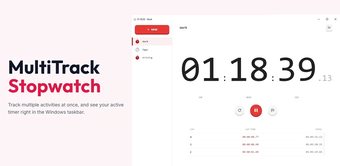
Track multiple activities at once, and see your active timer right in the Windows taskbar.
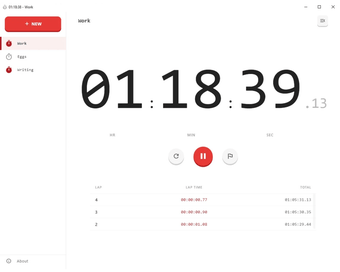
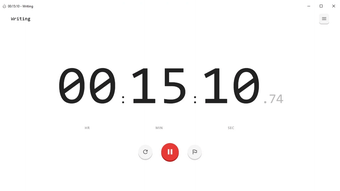
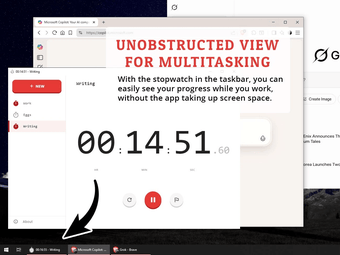
MultiTrack Stopwatch lets you run as many stopwatches as you need, each with its own label. Unlike the built-in Windows stopwatch, your running time is always visible in the taskbar—no need to open the app to check.
Features:
- Multiple stopwatches – Run unlimited timers simultaneously
- Custom labels – Name each stopwatch for easy identification
- Taskbar display – See your active timer's elapsed time without opening the app
- Lap tracking – Record unlimited laps with precise timing
- Background persistence – Timers continue running even when the app is closed
- Offline & private – Works completely offline, no ads, no tracking
Loading…
App specs
License
Free
Version
1.0.1
Latest update
Platform
Windows
OS
Windows 10
Language
English
Size
1.12 MB
Developer
- Beautiful Day Apps
User reviews about MultiTrack Stopwatch
Have you tried MultiTrack Stopwatch? Be the first to leave your opinion!
Add reviewTop downloads Clocks & Alarms for Windows
Top downloads Clocks & Alarms for Windows
Top downloads Clocks & Alarms for Windows
Related topics about MultiTrack Stopwatch
Latest articles

The director of A Quiet Place confirms that the next one will be the last installment of the franchise

Cillian Murphy believes he will never surpass his role in Peaky Blinders

Marathon will have a duo mode, but Bungie warns: it will be broken at the beginning

Krafton must rehire the creators of Subnautica 2 and pay them 250 million dollars

The CEO of Epic Games has been secretly planting large forests for years
Laws concerning the use of this software vary from country to country. We do not encourage or condone the use of this program if it is in violation of these laws. Softonic may receive a referral fee if you click or buy any of the products featured here.